


UpScrolled
4.71.07K Reviews
App Specs
- Version
- 1.5.0
- Updated On
- License
- Free
- Downloads
- 1,000,000+
- Developer
- UpScrolled
- Categories
- Social
- Platform
- Android
Screenshots
 Analysis by AppCompare
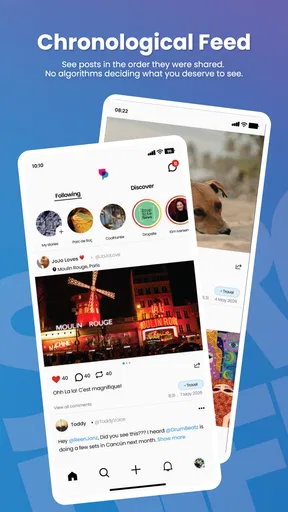
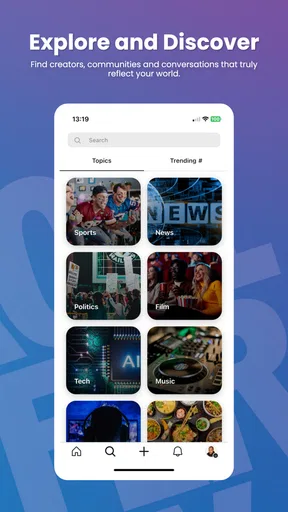
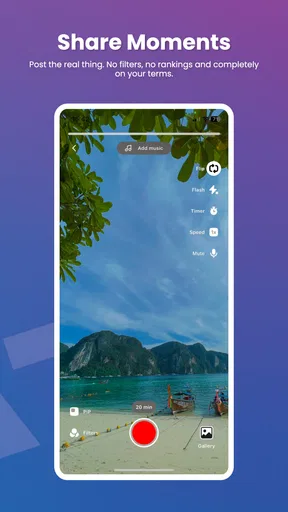
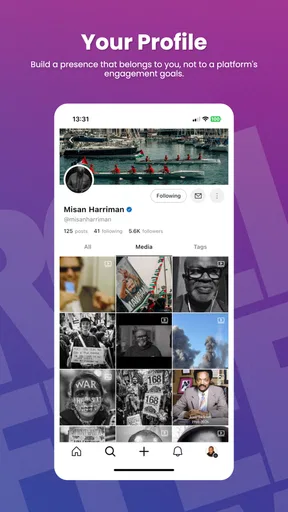
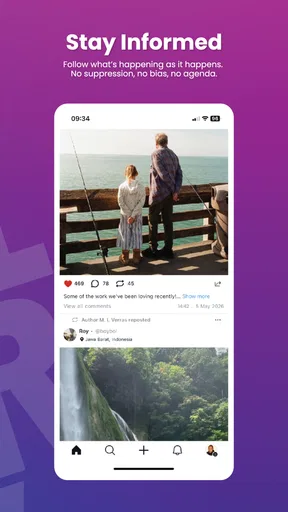
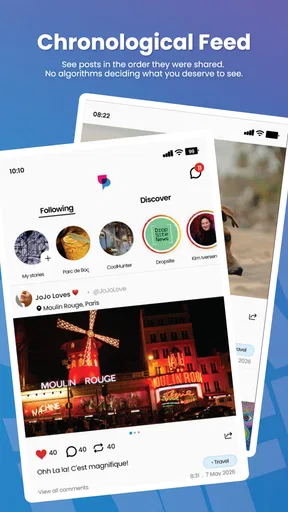
When I look at a social app, I pay attention to more than what appears in the feed: I want to know whether the experience is readable, manageable in different situations, and comfortable for people with different needs. UpScrolled is a social app from developer UpScrolled, and its pitch is straightforward: a place to express yourself and connect with others. My view is that it is worth exploring if you want another social space, but its usefulness depends on what you expect from a feed and how comfortably you can navigate one.
There is a practical distinction between an app that helps you find posts and one that makes those posts easier to use. UpScrolled belongs to the first category: it gives people a social setting for sharing and browsing, rather than acting as a general phone-control tool. That matters if you are looking for a specific assistive scrolling utility; this is not the same kind of product, and I would not choose it for that purpose.
Reading a social feed at your own pace
Social feeds can be tiring when posts arrive quickly, jump between formats, or compete for attention. I find it helps to approach UpScrolled with a clear reason for opening it: checking in on people, following a subject, or sharing something of your own. That small habit makes a feed easier to manage than opening an app and letting the next post decide how long you stay.
Readability is not only about text size. The amount of material in a post, how much context it gives, and whether a conversation is easy to follow all affect the effort involved. When I share something, I would keep the main point near the beginning and use clear wording; that helps readers who are skimming, using a smaller screen, or returning to the post between other tasks. I also recommend pausing before publishing to check whether the point makes sense without extra context.
UpScrolled is free, and its Teen content rating gives families a useful starting point when deciding whether it is suitable, but neither fact tells you how an individual feed will feel. Social spaces can include a wide range of topics and opinions. I would make the decision based on the person using it and the content they encounter, rather than treating the age label as a guarantee of a particular experience.
Navigation, comfort, and different ways of using it
For anyone who uses a phone with one hand, has limited dexterity, or experiences discomfort with repeated movements, frequent feed browsing can become a chore. I would test the basic actions slowly rather than assume that a social app will suit every grip or movement pattern. If tapping and scrolling feel demanding, shorter sessions and breaks are sensible; a comfortable routine matters more than keeping up with every post.
Sensory comfort also varies. A fast-moving stream of images, text, and discussion may suit someone who likes frequent updates, while another person may prefer a quieter, more predictable way to keep in touch. I would use UpScrolled with a specific purpose and step away when the feed feels overwhelming. That is not a flaw unique to this app, but it is a real trade-off of social browsing that is easy to overlook when judging an app by its basic premise.
Worth Reading Before You Choose

EA SPORTS FC Mobile 26 Is a Bigger Football Game, but It Takes Time

Flipboard Shows What News Apps Must Do Beyond the Feed

Switching to Android Auto Means Rethinking Your Driving Routine

Google Calendar Makes a Crowded Week Easier to Manage

Ludo King Makes the Most of the Minutes Between Plans

Baby Panda World Brings Quick Play to Modern Phones, but Its Game Library Feels Busy
When it fits into everyday life
One realistic use is checking in during a short break: open the app, look for updates from people or topics that matter to you, respond if you have something useful to add, and then close it. That is a more satisfying routine than treating a feed as background noise throughout the day. If you are sharing from a busy setting, I would draft the thought first and review it when you can give it your attention, especially if clarity or tone matters.
UpScrolled has a 3.9 average from around 21,000 ratings, with roughly 934 written reviews, and it has passed one million installs. Those figures suggest that it has reached a sizable audience, but they do not tell me whether its community or interface will match your preferences. I would treat them as context, then decide by trying the actual experience and asking whether it helps you communicate in the way you want.
Where I see the limits
UpScrolled is not automatically the right choice just because you want a social network. If most of your friends, groups, or creators are active elsewhere, the value of a new feed may be limited until you find people worth following. If your priority is a particular specialist community, private group workflow, or a highly controlled reading experience, a service built around that need may be a better fit. I would not move all my social activity at once; I would first see whether the people and conversations I care about are present.
There is also a difference between having access to a social app and being able to use it comfortably. People who rely on particular accessibility settings, alternative input methods, or assistive technologies should test the tasks they actually need to do—reading posts, composing a reply, and moving through conversations—before depending on the app. I would not assume that a general social product covers every access need equally well.
What’s Up with UpScrolled?
Alright, let’s start with the basics. UpScrolled is designed to enhance the way you interact with your phone, especially when it comes to scrolling through long pages. You know how sometimes you’re reading an article, and the endless scrolling starts feeling like an Olympic sport? This app aims to make that experience smoother and more intuitive.
What I love about it is the gesture-based navigation. Instead of the usual swipe up, swipe down routine, UpScrolled introduces a set of gestures that allow you to jump through content effortlessly. It’s like having a remote control for your phone, and trust me, it’s a game-changer.
Features That Caught My Eye
Let’s talk features because this app is packed with them:
- Smart Gestures: Navigate through long articles or feeds with simple gestures. This feature is perfect for those lazy afternoons when your thumb just can’t take another swipe.
- Customizable Settings: Tailor the app to suit your scrolling habits. You can adjust the sensitivity and speed of gestures, making it as fast or as leisurely as you prefer.
- Seamless Integration: It works smoothly with most browsers and reading apps. No need to switch apps or copy links; just scroll better wherever you are.
- Data Privacy: With the increasing concerns about privacy, it’s reassuring to know that UpScrolled doesn’t store or share your data. It’s all about enhancing your user experience without any compromise.
Why You Might Fall in Love with It
The app is like that friend who always knows just what you need. Whether it’s reading blogs, catching up on news, or just scrolling through social media, UpScrolled makes the whole process feel less like a task and more like a breeze. The customizable gestures are intuitive, and once you get the hang of them, there’s no going back.
Plus, the integration with various apps means you don’t have to worry about compatibility issues. It’s nice to have an app that works with you, not against you.
My Experience So Far
Using UpScrolled has been a delight. Initially, I was a bit skeptical—how much can an app really change my scrolling habits? But after using it for a week, I’m convinced. The gestures are easy to learn, and the customization options mean I can tweak it just right. Whether I’m reading articles or browsing social media, the experience is noticeably smoother.
One thing I particularly appreciate is the app’s minimalist design. It doesn’t clutter your screen with unnecessary features. Everything feels purposeful and well thought out.
Wrapping It Up
So, would I recommend UpScrolled? Absolutely! If you’re someone who finds themselves constantly scrolling through their phone, this app can make that experience much more enjoyable. It’s all about making your interaction with content seamless, and in a digital age where we’re constantly consuming information, that’s invaluable.
Whether you’re an Android or iOS user, I’d say give it a shot. It might just be the app you didn’t know you were missing. Happy scrolling!
My verdict on making room for it
For me, the strongest reason to try UpScrolled is curiosity about a different social space, not an expectation that it will replace every other network. It is free, currently at version 1.4.1, and supports Android 8.0 or later, so the practical first step is simple: check that your device meets the requirement, install it, and spend a little time seeing whether the posts and conversations feel worth returning to.
I would compare it with established social platforms by asking what each one does for me, rather than which has the longest feature list. If my priority is keeping up with people already active on a familiar service, that service has an immediate advantage. If I want to explore another community and am willing to build a new routine, UpScrolled may be more appealing. I would keep notifications and browsing intentional wherever possible, because a fresh feed can still become a distraction if I open it without a reason.
My recommendation is measured: give it a try if you want a social app and are comfortable assessing a new community for yourself. Take time to check how readable the feed feels, whether you can complete the actions you care about without strain, and whether the conversations are useful to you. If those basics do not work for your eyes, hands, attention, or social needs, choosing a different way to connect is not a failure—it is the sensible choice.
Pros
- User-friendly interface enhances navigation.
- Seamless integration with social media platforms.
- Customizable notifications for updates.
- Offers cloud sync across multiple devices.
- Regular updates ensure new features.
Cons
- Limited offline functionality available.
- Requires a stable internet connection.
- Some features hidden behind paywall.
- Occasional ads disrupt user experience.
- Lack of detailed tutorials for beginners.
FAQs for UpScrolled
What is UpScrolled and what does it offer?
UpScrolled is an innovative app designed to enhance your social media experience by automatically organizing and prioritizing content based on your interests. It offers features like personalized feeds, content discovery, and customizable notifications, ensuring that you never miss important updates from your favorite channels and creators.
Is UpScrolled available for both Android and iOS devices?
Yes, UpScrolled is available for download on both Android and iOS platforms. Users can easily find it on the Google Play Store and Apple App Store. The app is optimized for a seamless experience across various devices, ensuring that all users can enjoy its features regardless of their operating system.
Does UpScrolled require a subscription or is it free to use?
UpScrolled offers both free and premium subscription options. The free version provides basic features, while the premium subscription unlocks advanced functionalities such as ad-free browsing, enhanced customization, and exclusive content access. Users can choose the plan that best fits their needs and budget.
How does UpScrolled ensure user privacy and data security?
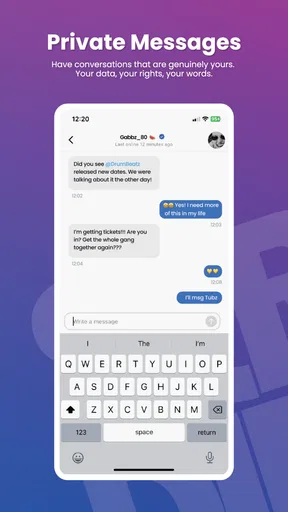
UpScrolled is committed to user privacy and employs robust security measures to protect personal data. The app uses encryption protocols and follows industry best practices for data storage and management. Users can review the app’s privacy policy to understand how their information is handled and the steps taken to safeguard it.
Can I customize the content I see on UpScrolled?
Absolutely! UpScrolled provides extensive customization options, allowing users to tailor their feeds according to personal preferences. You can select specific topics, mute unwanted content, and prioritize posts from preferred sources. This ensures a personalized experience, making it easy to engage with the content that matters most to you.


